
Updated: 2025-10-19
Open it in web browser, Don’t open in WeChat
Technical support is provided as a courtesy and is not included in your subscription.
Before contacting support, please visit the App Guide or FAQ for quick solutions.
Step 01 – Download
| Software Version | ShadowRocket (Paid) |
|---|---|
| Official Website | Official Website | Github |
| iOS / iPhone | AppStore Link |
Step 02 – Install
iOS / iPhone
iOS – install → (click to open)
iOS – Install
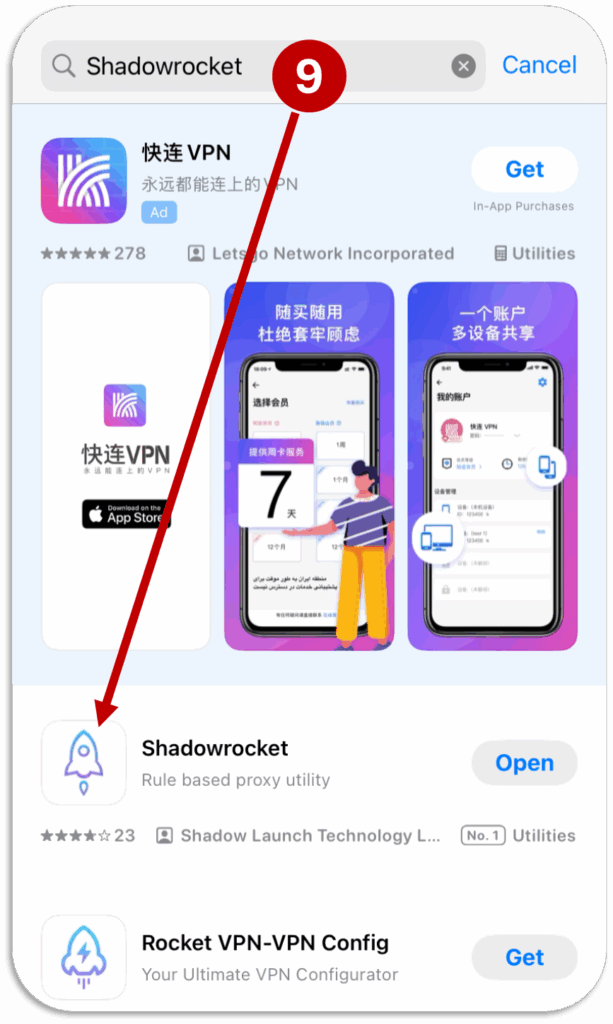
1 Search “ShadowRocket” on AppStore
2 Install & Open
ShadowRocket is a PAID app.
If “ShadowRocket” is not available on AppStore, Login with non-Chinese Apple ID.
Step 03 – Basic Settings
Initial Setup → (click to open)
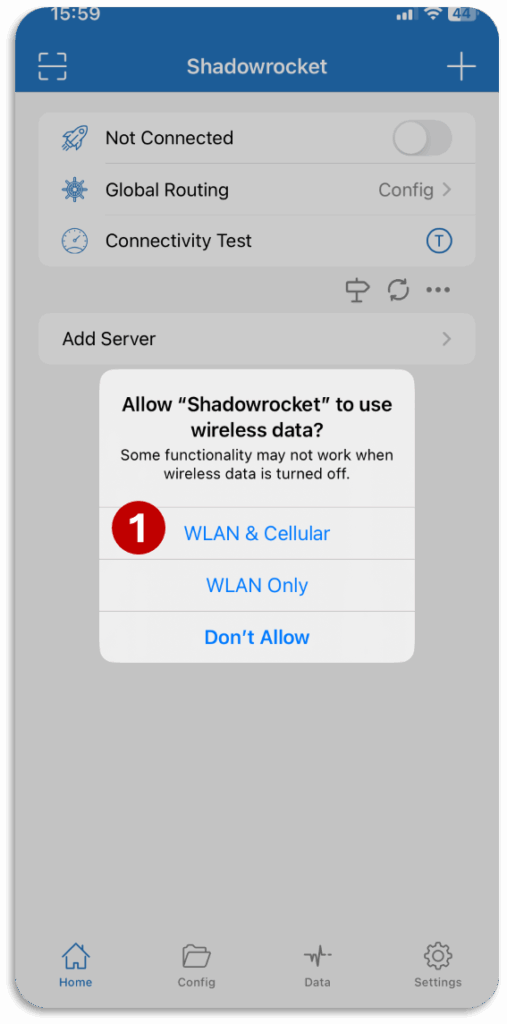
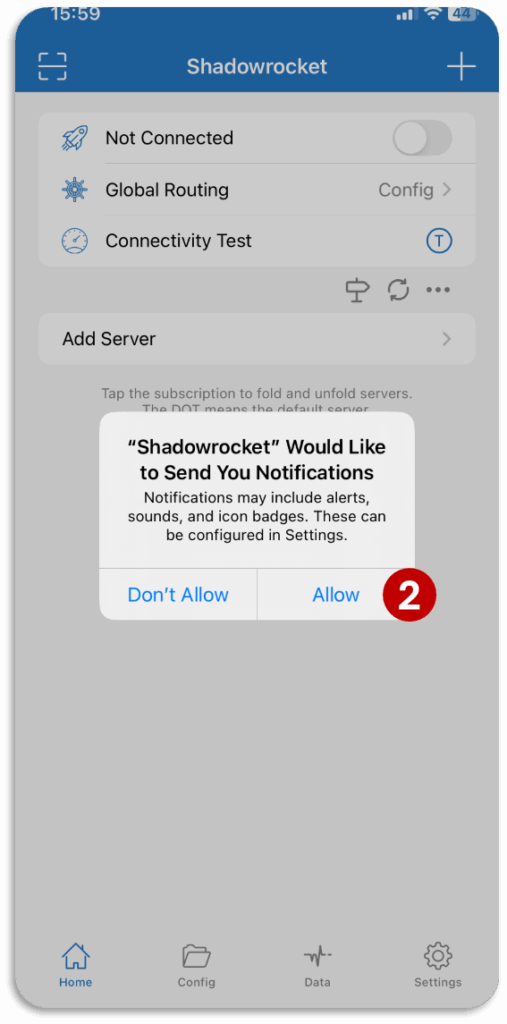
Initial Setup – Process
1 Click “WLAN & Cellular”
2 Click “Allow”
Change Connectivity Test IMPORTANT!!! → (click to open)
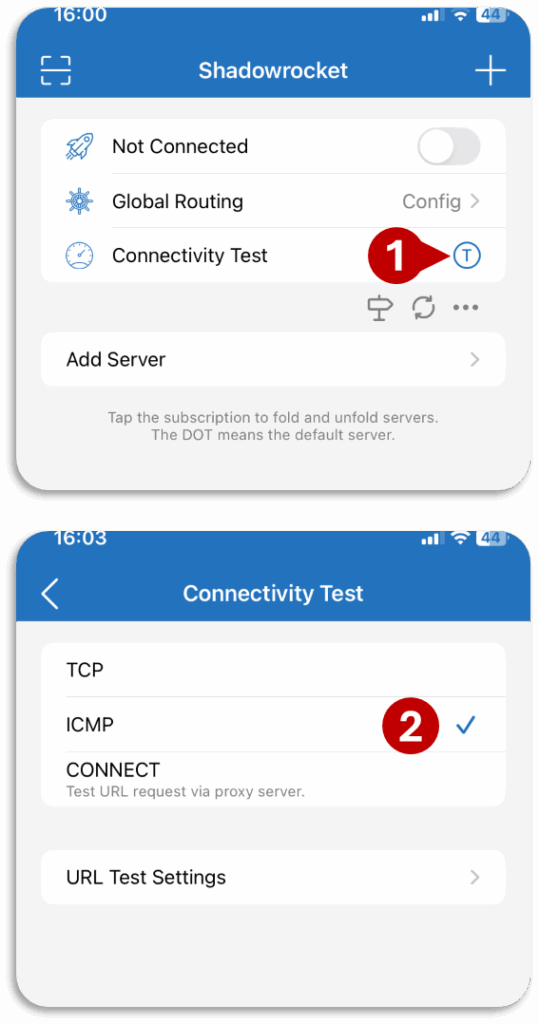
Change Connectivity Test – Process
1 Click to change connectivity test
2 Select ICMP
Enable Auto Update IMPORTANT!!! → (click to open)
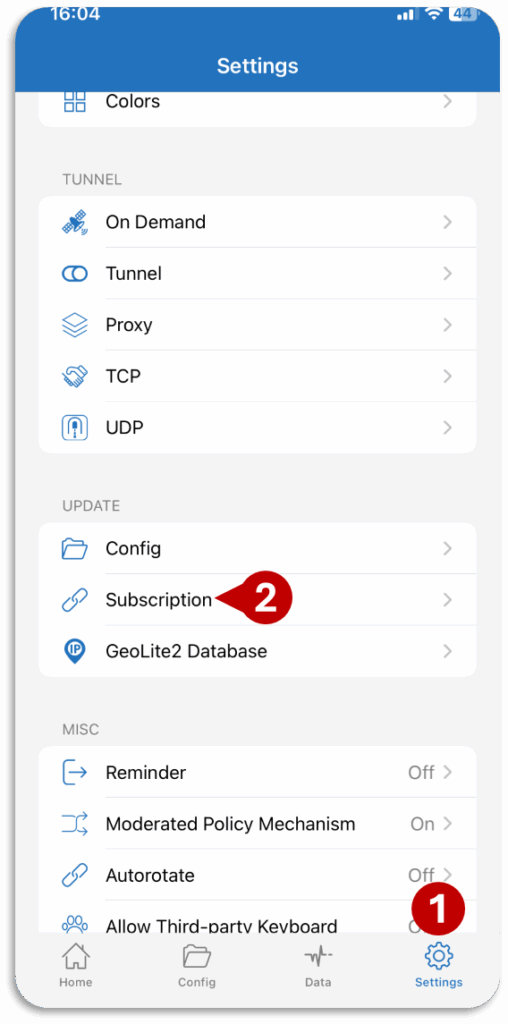
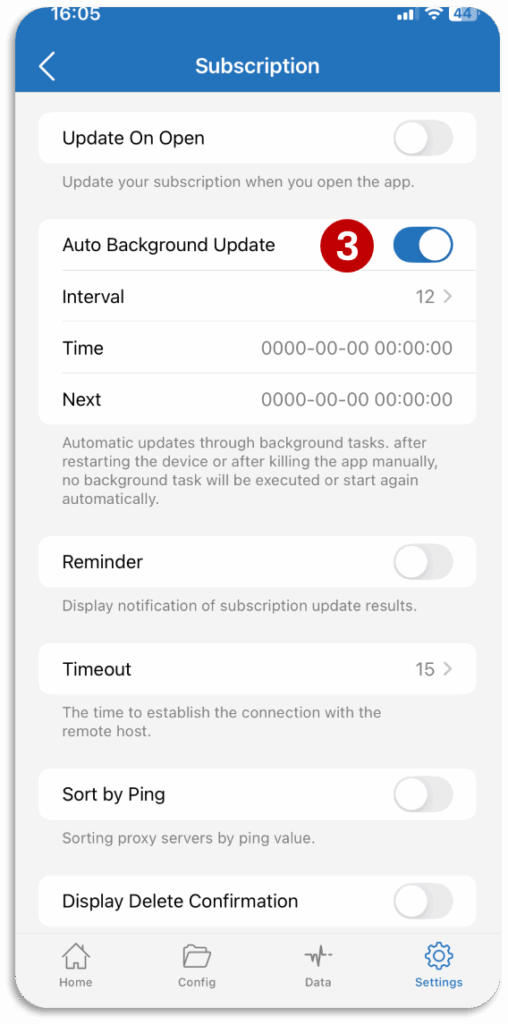
Enable Auto Update – Process
1 Open Settings
2 Open ‘Subscriptions” in update section
3 Enable “Auto Background Update”
This will auto update your subscription every 12 Hours.
Enable Auto Server Switching (Optional) → (click to open)
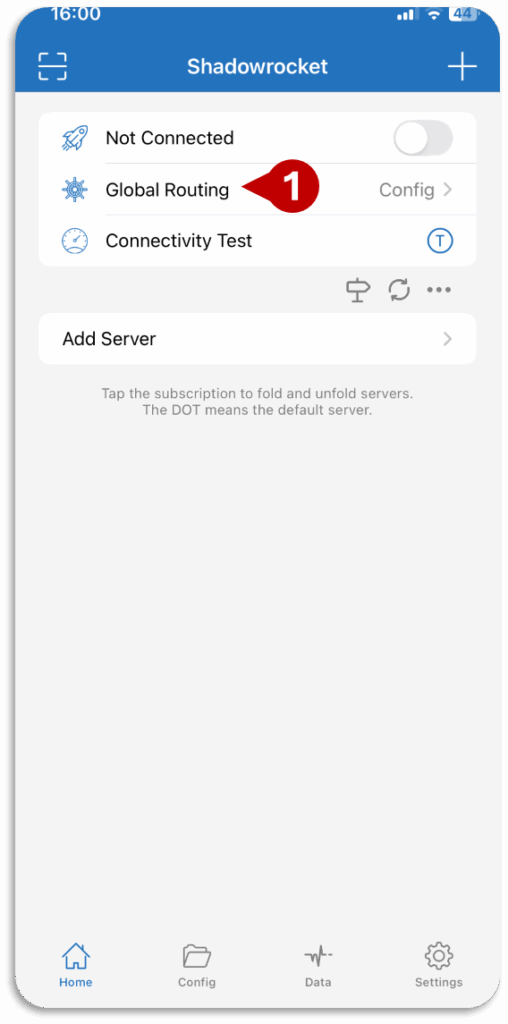
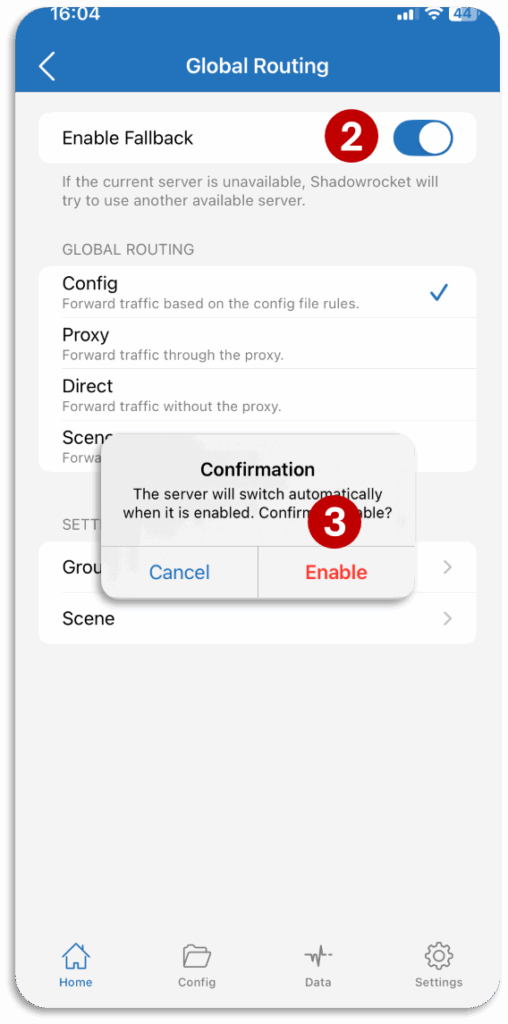
Enable Auto Server Switching – Process
1 Click on “Global Routing”
2 Enable “Enable Fallback”
3 Click “Enable”
This will enable Servers Auto Switching
If your selected server is not available, enabling this will automatically change your server.
Step 04 – Import Profile & Connect
Import Profile → (click to open)
Import Profile – Process
Do not Update Profile with this method.
Use any Wi-Fi 🛜 (not mobile hotspot) to import first time.
0 Copy YOUR SUBSCRIPTION LINK
1 Click on + icon
2 Select “Subscribe”
3 Paste the given subscription link
4 Write name
5 Save
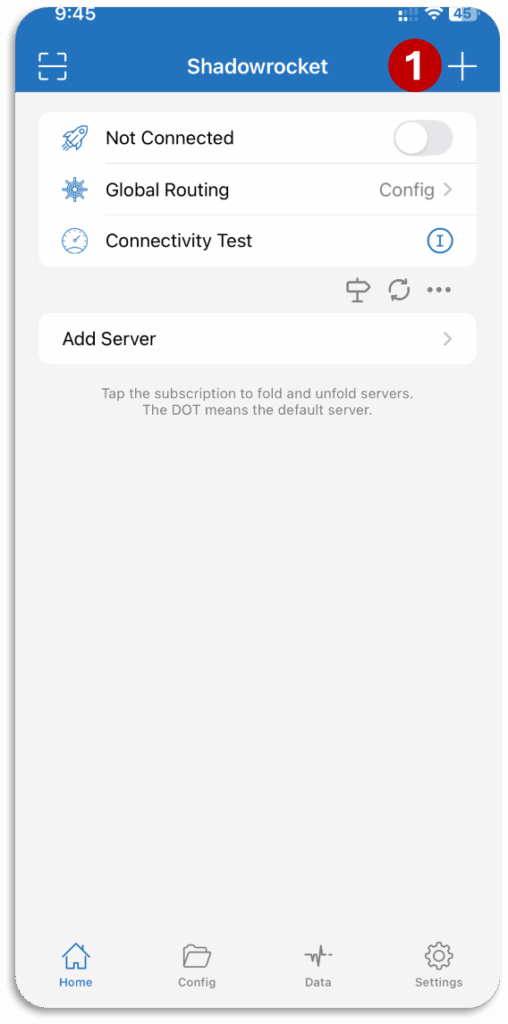
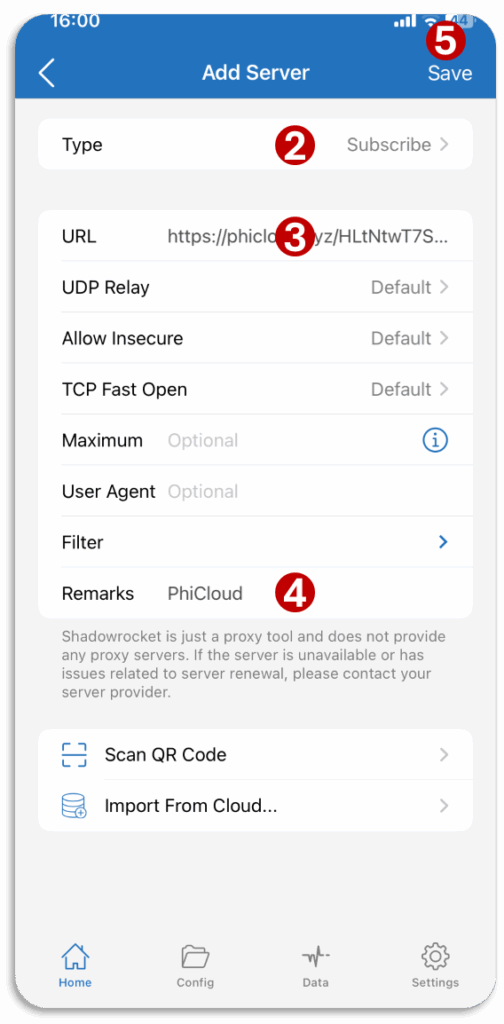
Connect → (click to open)
Connect – Process
1 Enable to get connected
2 Click “OK”
3 Click “Allow”
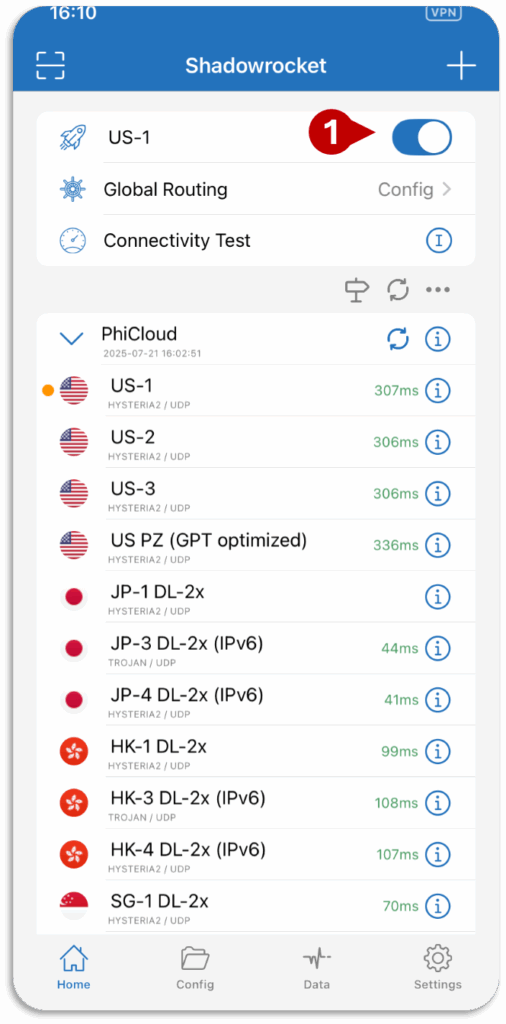
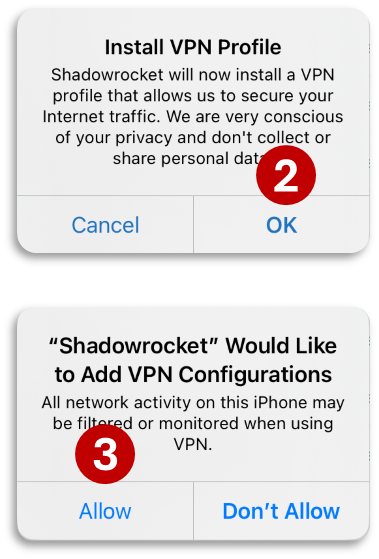
Step 05 – Refresh Servers
Refresh Servers → (click to open)
1 Click on “Connectivity Test”
This will show numbers in front of servers
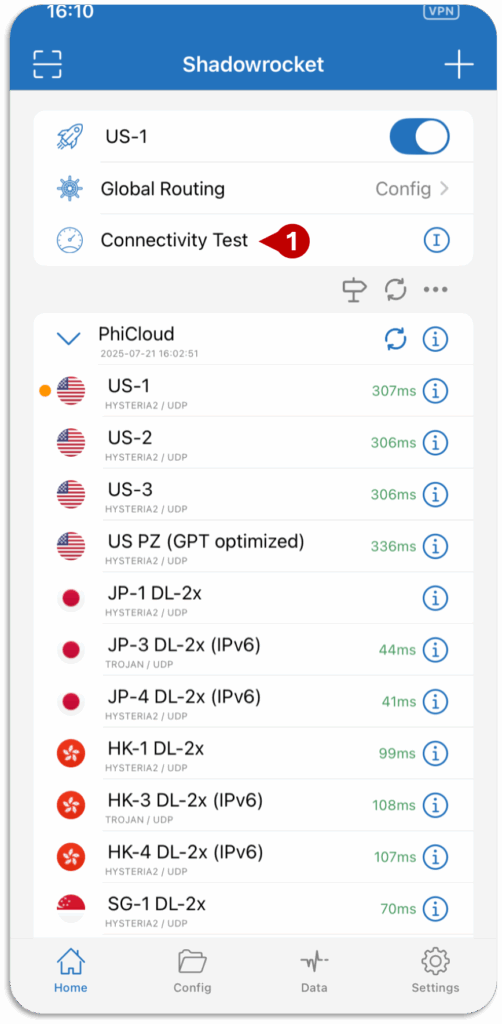
Guide – Basic Knowledge
Change Server → (click to open)
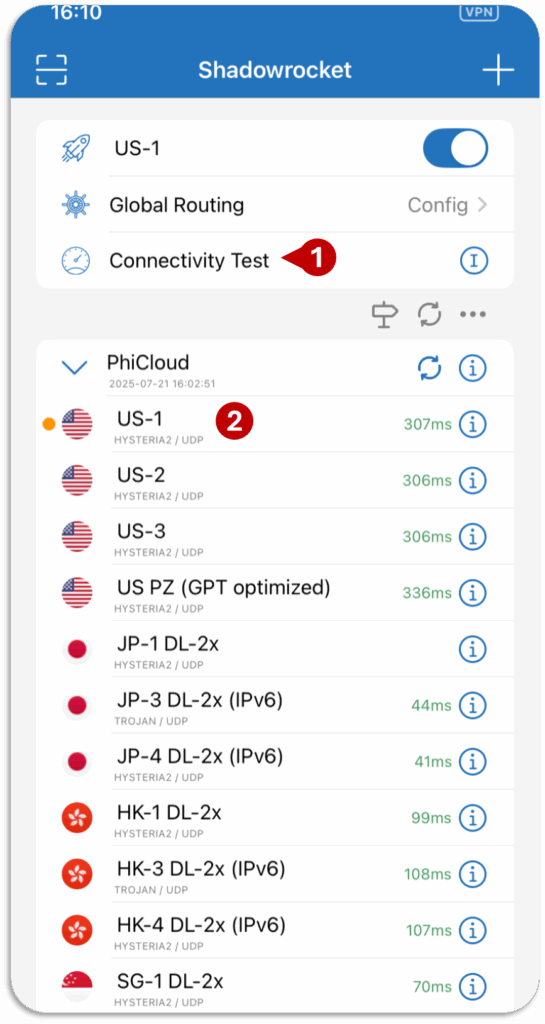
1 Run “Connectivity Test” to refresh servers.
2 Click on the server you want to use.
(Yellow Dot 🟡 show the selected server.)
Note: ChatGPT/Netflix/TikTok are not available in some countries (available countries US, JP, SG, etc.).
Update Profile → (click to open)
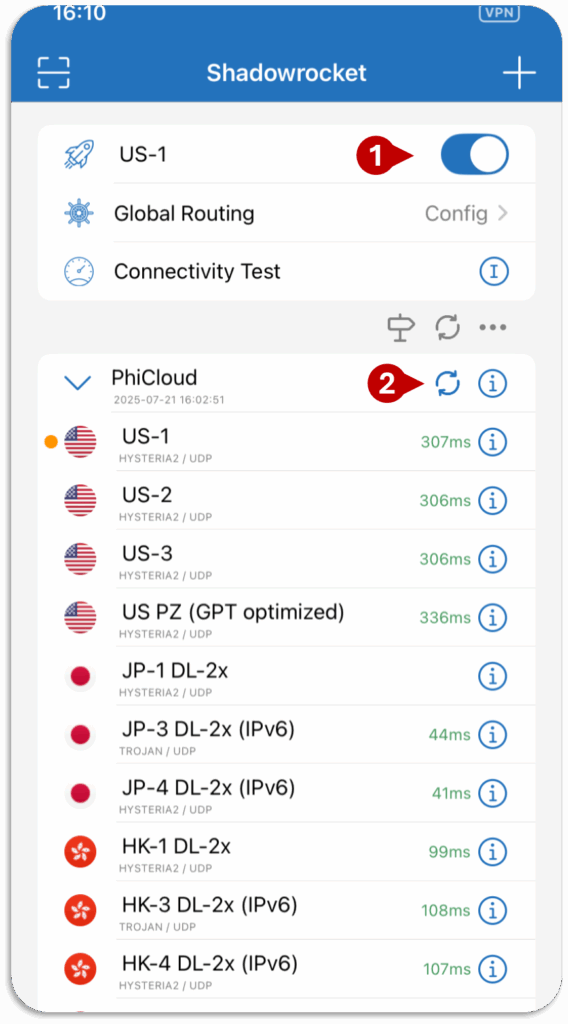
0 Connect
1 Click 🗘 to update
Don’t keep pressing 🗘 repeatedly. Wait for updating 🗘 to stop .
Note: iOS only shows the success message after updating without being connected.
Update Profile – CAN’T UPDATE PROBLEM → (click to open)
Use this method if:
Unable to Connect or All Servers show timeout
Connect with any Wi-Fi 🛜 (not mobile hotspot) to update.
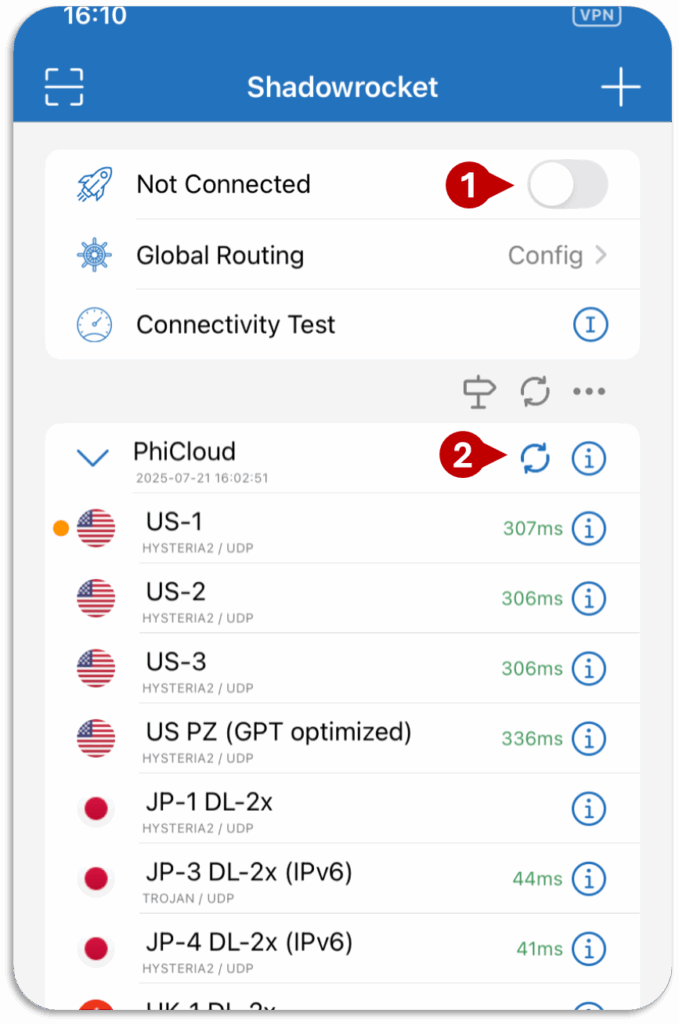
0 Disconnect
1 Click 🗘 to update
Don’t keep pressing 🗘 repeatedly. Wait for updating 🗘 to stop .
Troubleshooting
Before contacting support, check this to solve your problem.