
Updated: 2025-10-19
Open it in web browser, Don’t open in WeChat
Technical support is provided as a courtesy and is not included in your subscription.
Before contacting support, please visit the App Guide or FAQ for quick solutions.
Step 01 – Download
| Software Version | SingBox v1.12.9 |
|---|---|
| Official Website | Official Website | GitHub |
| iOS / iPhone | AppStore Link | or search “Sing-box VT” on AppStore |
| Android (arm) | PlayStore Link | or search “Sing-box” on PlayStore | Direct Download APK |
| Windows | N/A |
| MacOS / Linux | N/A |
Step 01 – install
iOS / iPhone
iOS (install) → (click to open)
iOS – Install
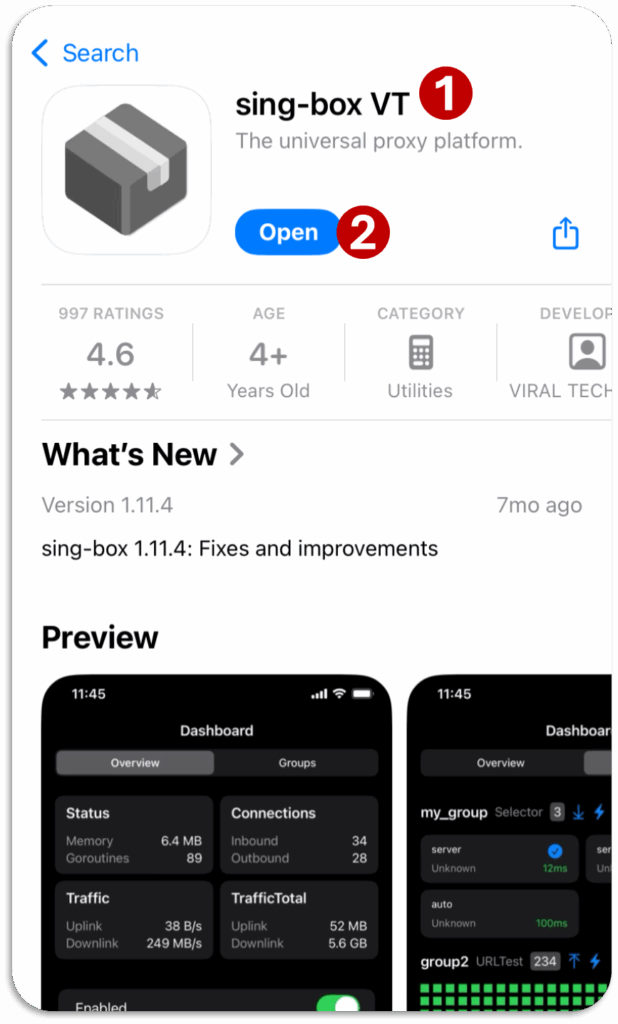
1 Search “Sing-box VT” on AppStore
2 Install & Open
If App is not available on AppStore,
Login with non-Chinese Apple ID.
Android
Method 01 – Android PlayStore → (click to open)
iOS – Install
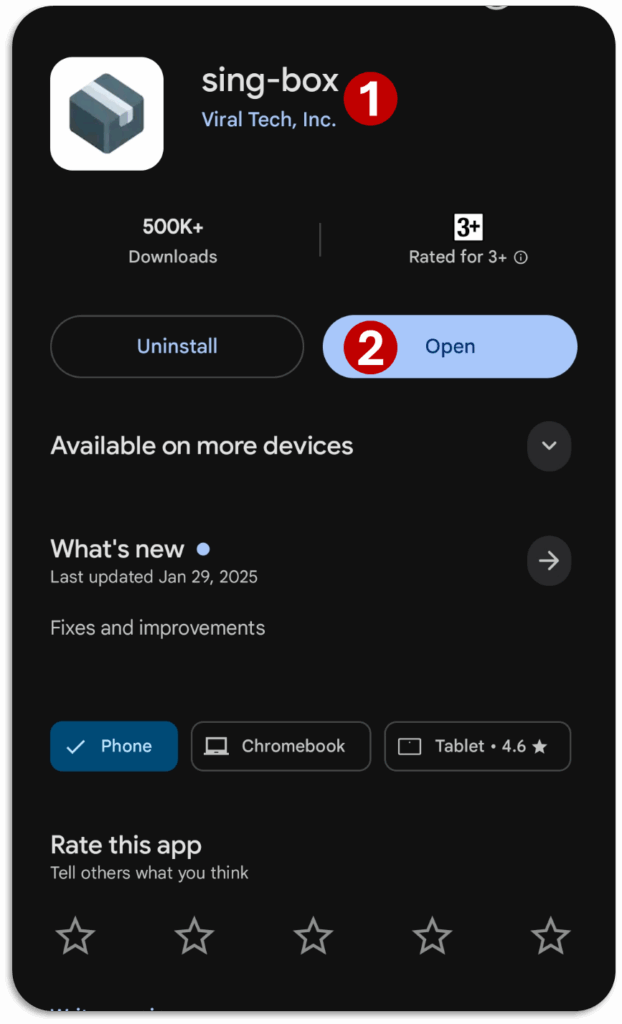
1 Search “Sing-box” on PlayStore
2 Install & Open
Method 02 – Android (install APK) → (click to open)
Android – Download APK
Download the .apk file from Download – Links section.
Note: Another app is installed in this video, but the method is same.
Android – Install
1 Open the File Browser App of your phone
File Browser App Names:
Files, My Files, File Browser, etc.
2 Go to “Download” folder in your storage & find downloaded file.
3 Click to open
4 Click “Install”
Method 03 – Android (install via WeChat file) → (click to open)
Android – Save APK file from WeChat
Open Hiddify file sent on WeChat
Click on three dots
Click save on Device
Note: Another app is installed in this video, but the method is same.
Android – Install
1 Open the File Browser App of your phone
File Browser App Names:
Files, My Files, File Browser, etc.
2 Go to Storage > Download >WeChat folder in your phone storage
& find downloaded file.
3 rename file and remove “.1” at the end
4 Click to open
5 Click “Install”
Step 03 – Basic Settings
Basic Setup for iOS → (click to open)
Basic Setup – Process
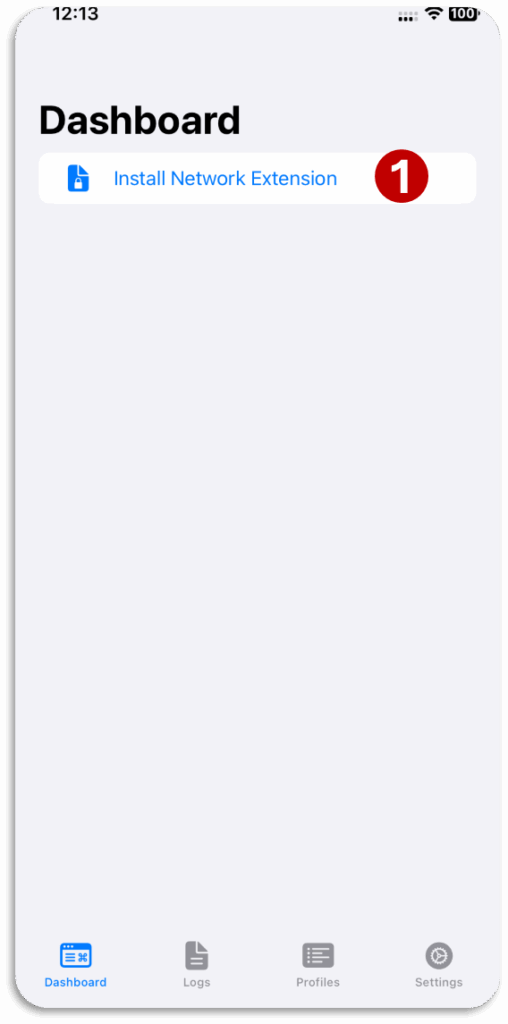
1 Click “Install Network Extensions”
Step 04 – Import Profile & Connect
Android Import Profile → (click to open)

Import Profile – Process
Do not Update Profile with this method.
Use any Wi-Fi 🛜 (not mobile hotspot) to import first time.
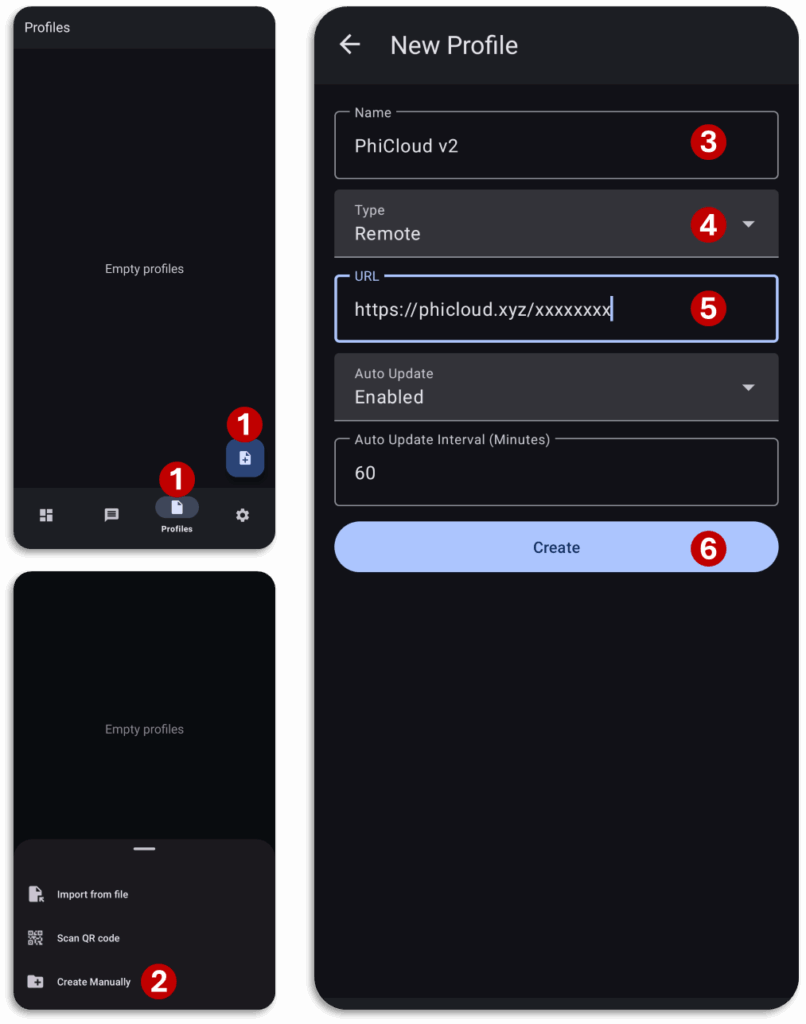
1 Go to “Profiles” tab and click on 🗎 icon
2 Click “Create Manually”
3 write name
4 Select “Remote” type
5 Paste your subscription link
6 Click “Create”
iOS/iPhone Import Profile → (click to open)
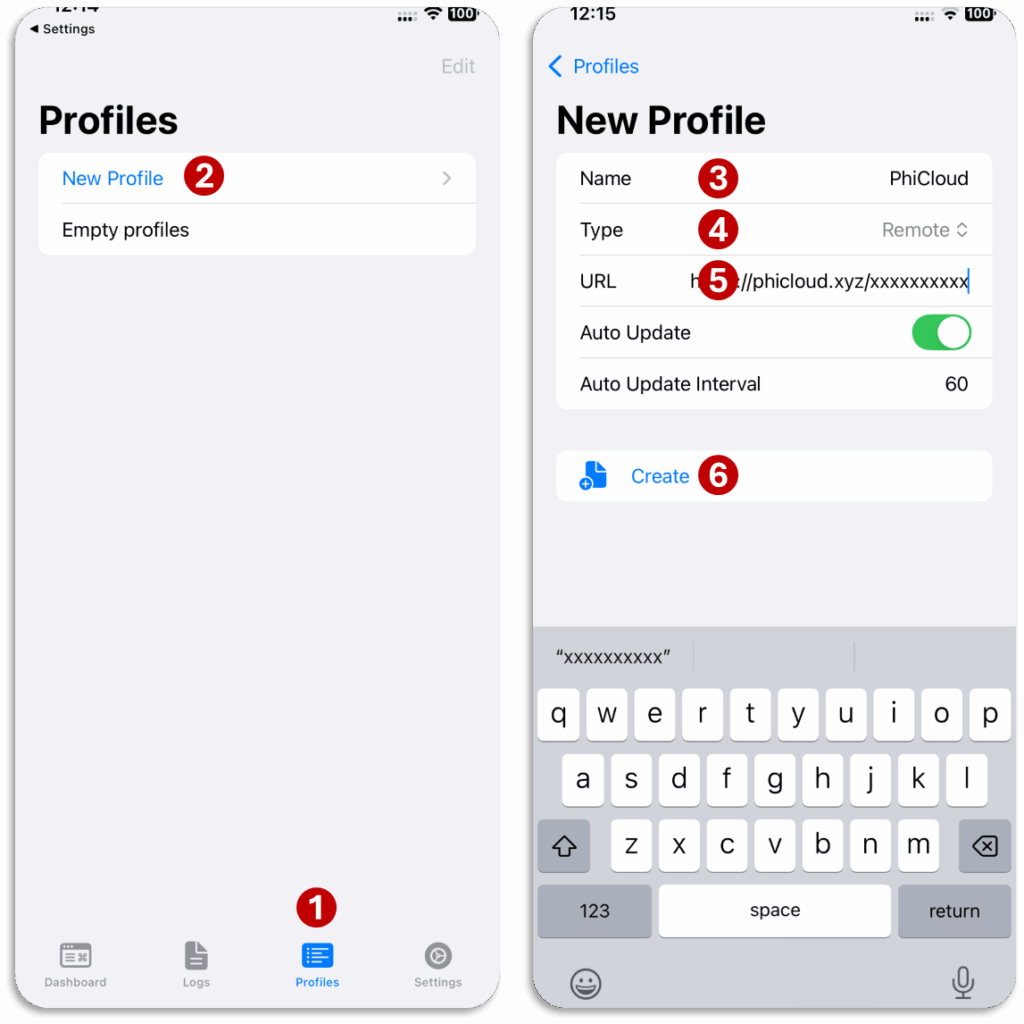
Import Profile – Process
Do not Update Profile with this method.
Use any Wi-Fi 🛜 (not mobile hotspot) to import first time.
1 Go to “Profiles” tab
2 Click “New Profile”
3 write name
4 Select “Remote” type
5 Paste your subscription link
6 Click “Create”
Connect → (click to open)
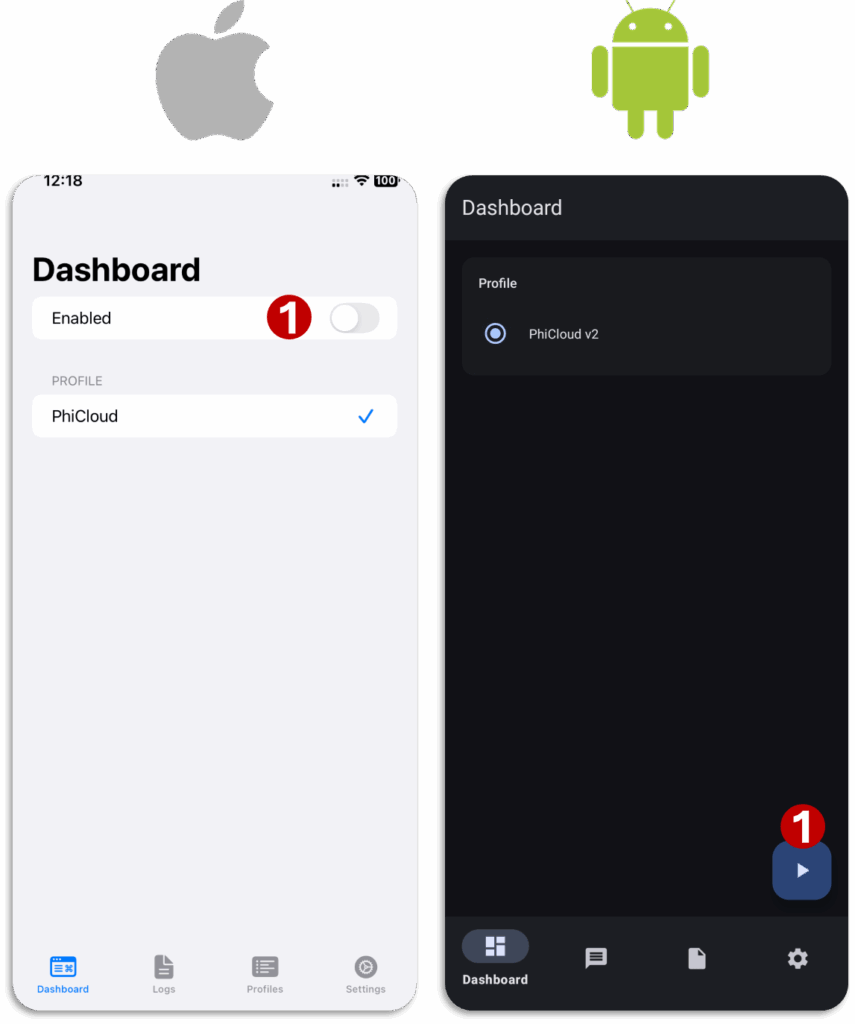
0 go to “Dashboard” tab
1 Click “Connect”
iOS/iPhone – Enable
Android – Click on ▶️ button
Note: if there is any warning, click “Ok”
Step 05 – Refresh Servers
Refresh Servers → (click to open)
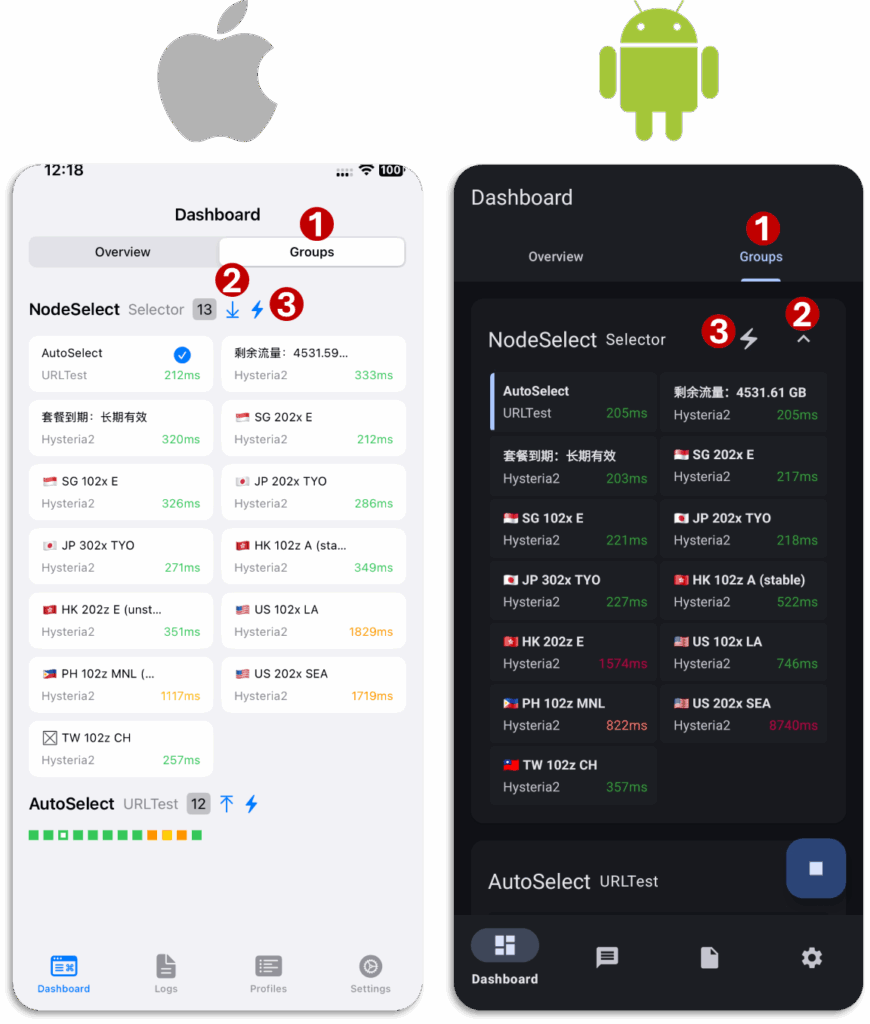
0 Connect
1 Click on Groups
2 Click on ⬇ icon or v icon to open servers
3 Click on ⚡icon to refresh servers
Note: use AutoSelect for optimized experience.
Guide – Basic Knowledge
Change Server → (click to open)
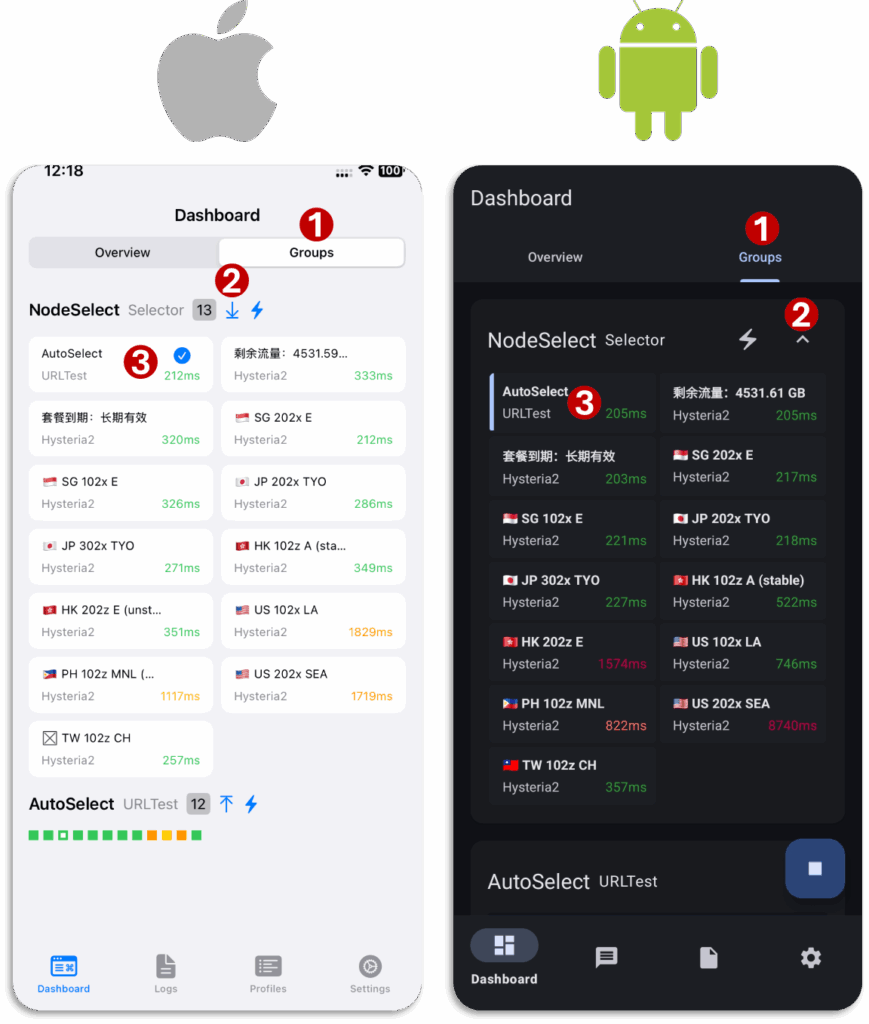
0 Connect
1 Click on Groups
2 Click on ⬇ icon or v icon to open servers
3 select server
Notes:
1 ChatGPT/Netflix/TikTok are not available in some countries (available countries US, JP, SG, etc.).
2 Manually selected server will be kept selected unless changed back to AutoSelect.
Update Profile → (click to open)
0 Connect
1 Open Profiles tab and open your profile
2 Click “update” button
Don’t keep pressing “Update” repeatedly & Wait for “Last Updated” time to change.
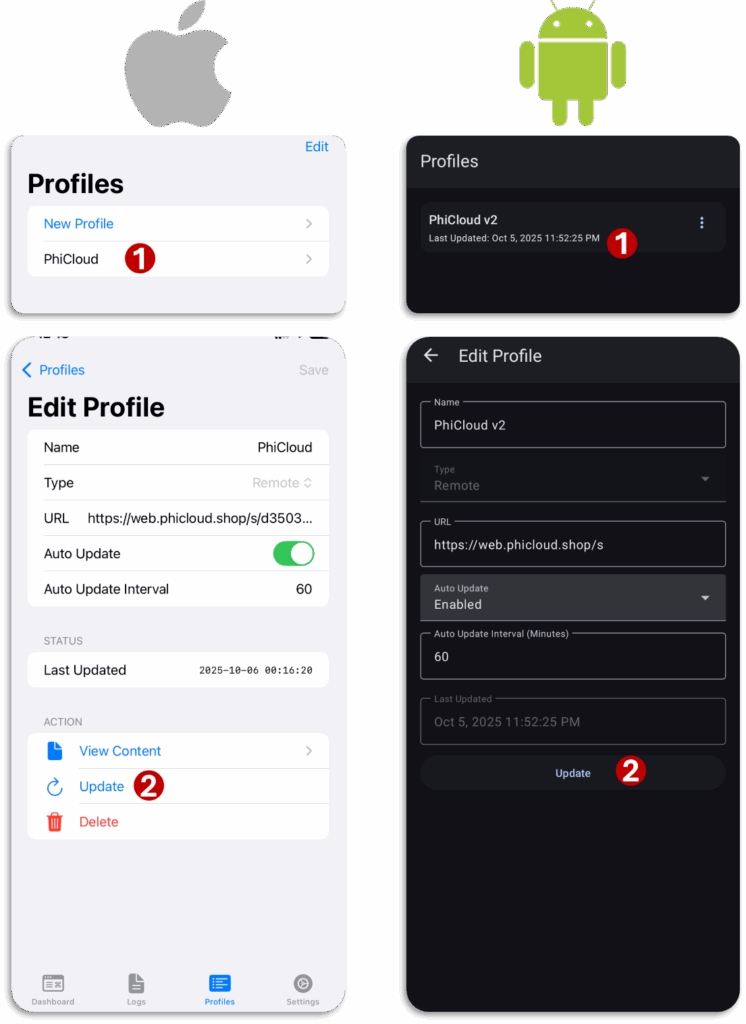
Update Profile – CAN’T UPDATE PROBLEM → (click to open)
Use this method if:
Unable to Connect or All Servers show timeout
Connect with any Wi-Fi 🛜 (not mobile hotspot) to update.
0 Disconnect
1 Open Profiles tab and open your profile
2 Click “update” button
Don’t keep pressing “Update” repeatedly & Wait for “Last Updated” time to change.
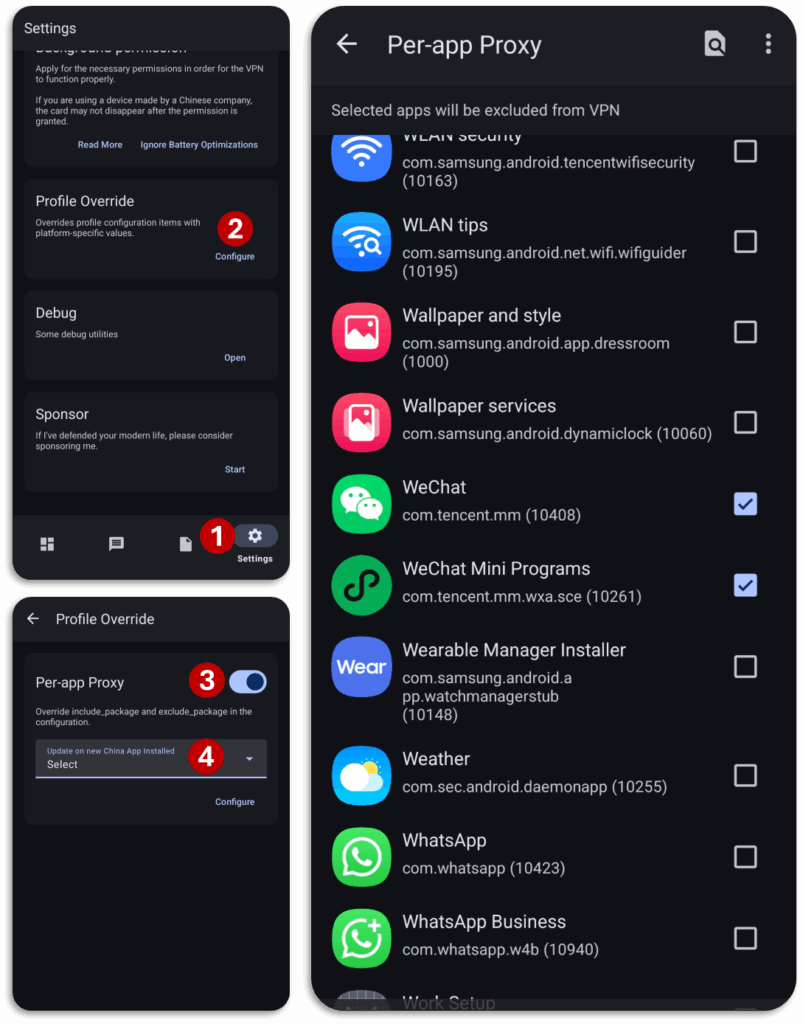
Per-App Proxy – Android Only → (click to open)
1 Open “⚙️ Settings”
2 Click on “Configure” for “Profile Override”
3 enable “Per-App Proxy”
4 Choose “Select”
5 Check Apps to stop them from using proxy.
Troubleshooting
Before contacting support, check this to solve your problem.